Sell your restaurant as a gift.
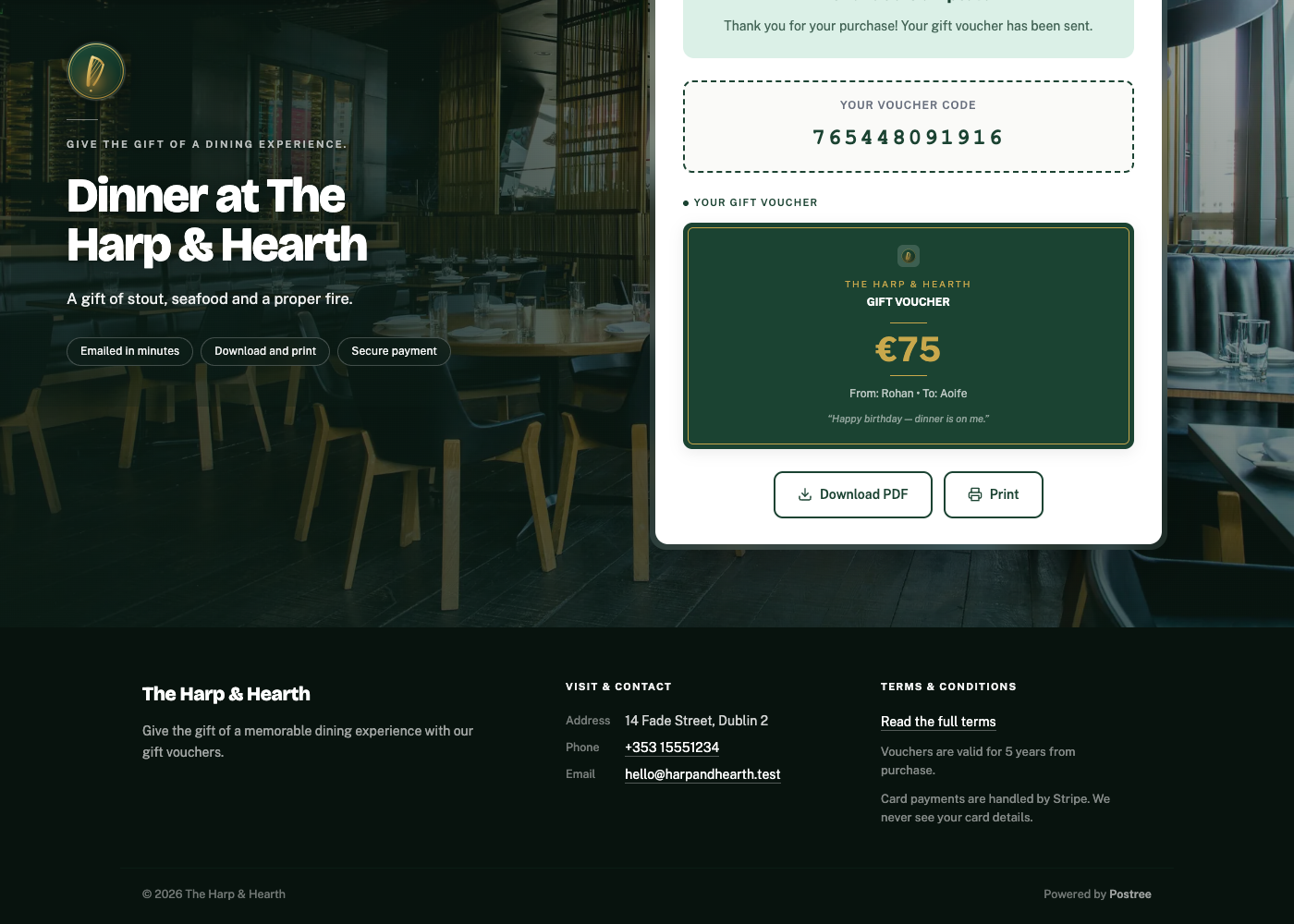
A gift voucher page of your own - your room, your colours, your words. A customer buys in about a minute, and the voucher is in their inbox and on your dashboard before they close the tab.
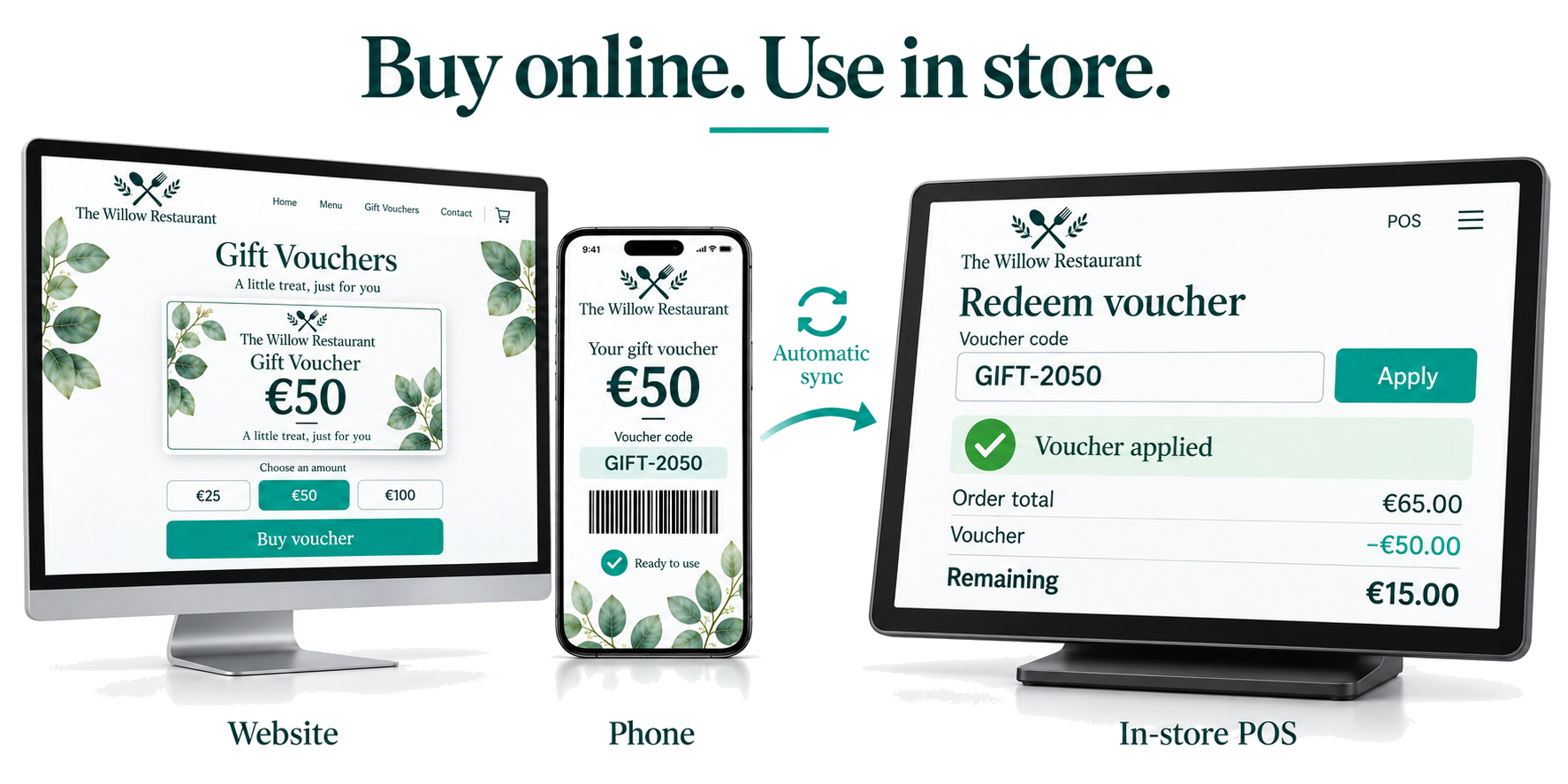
A voucher sold, start to finish.
A voucher bought on a restaurant's own public page, then the same voucher in the owner's dashboard a moment later. Recorded end to end.
Three screens, about a minute.
No account to create, nothing to download.
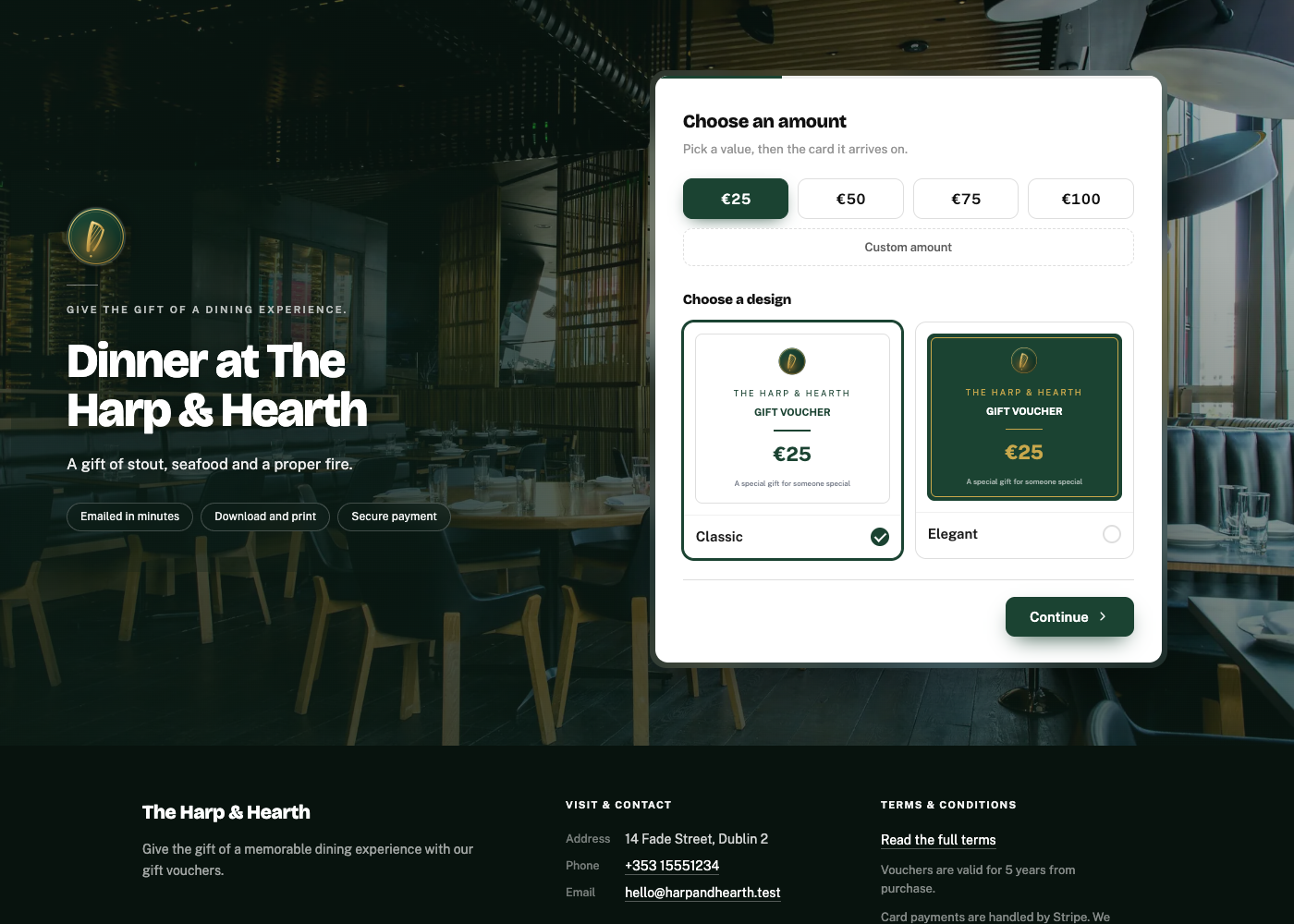
They pick an amount and a card
Four one-tap amounts you choose, plus any amount they like between your limits. Two card designs, or your own artwork.
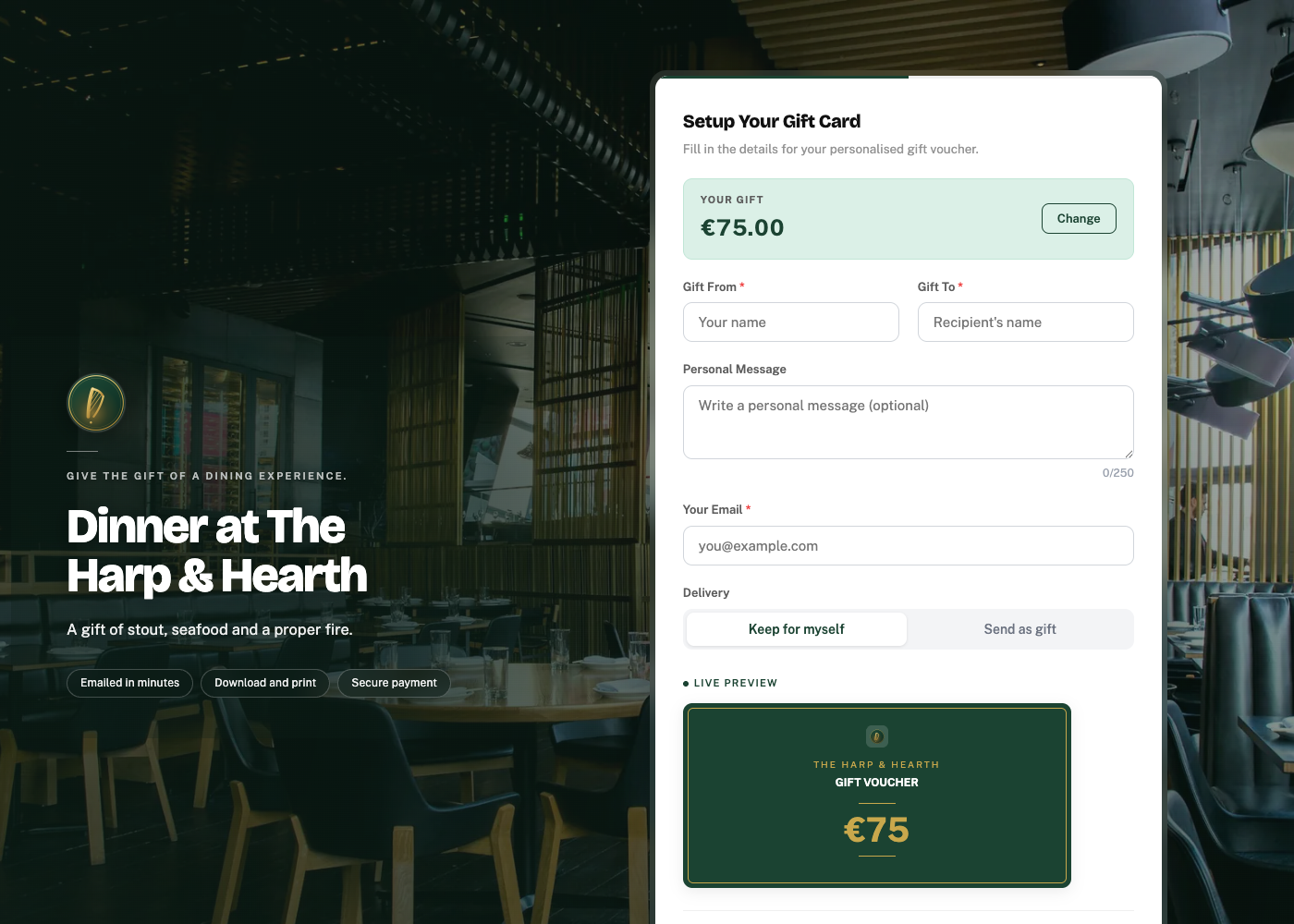
They say who it’s for
Names, a message, and whether to send it straight to the recipient or keep it to give in person. The card updates as they type.
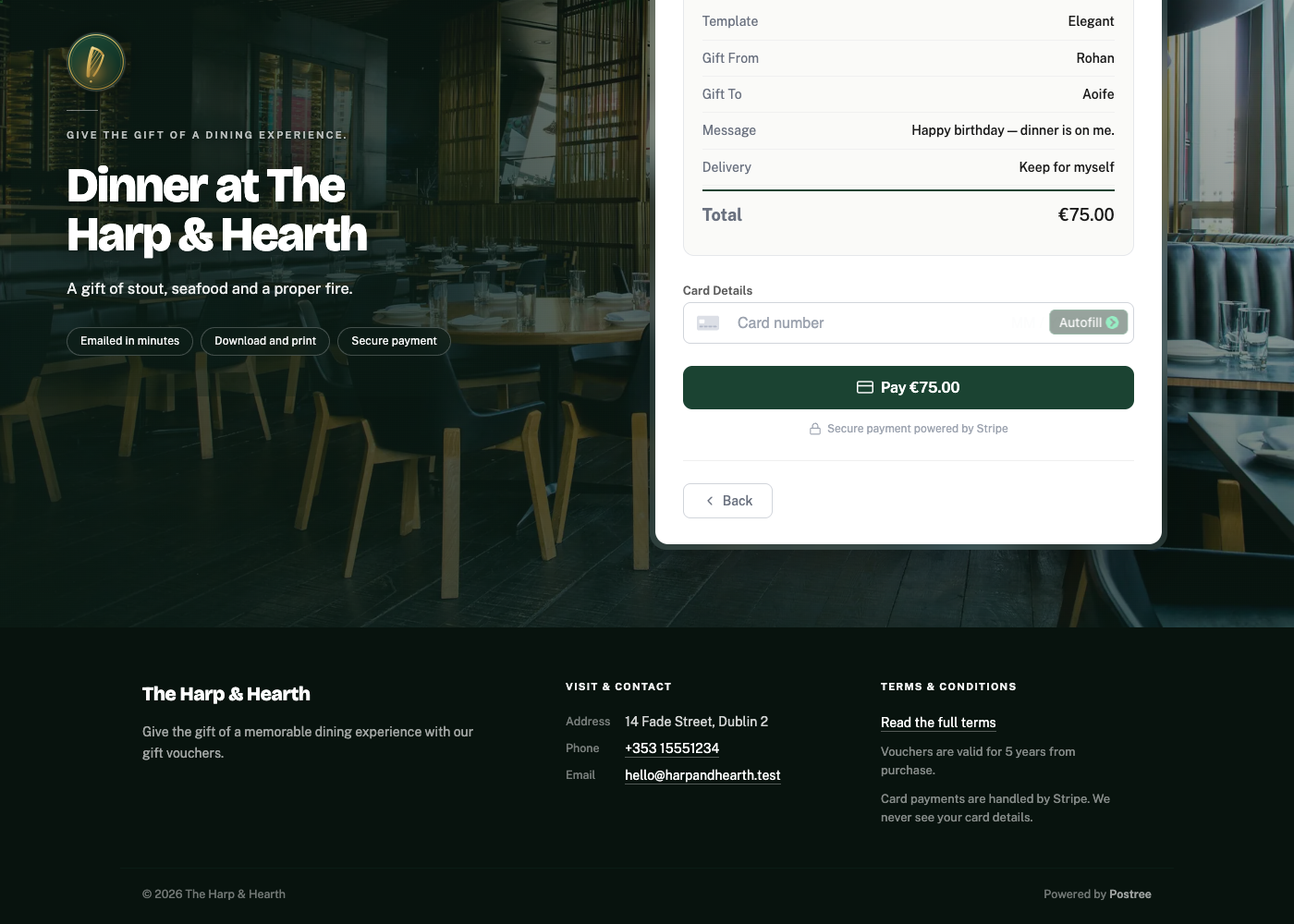
They pay, into your account
Card payment through Stripe, settled to you. The voucher is emailed the moment it clears, and downloads as a PDF they can print and hand over.
Your online store.
A page that belongs to your restaurant, not to us.
- Your own address. gifts.yourrestaurant.ie, on your domain. We handle the certificate.
- Your room behind it. Upload a photograph of the dining room, or start with the one we ship.
- Your colours. Lifted from your logo automatically, then yours to adjust.
- Your words. Every line is editable, down to the wording on the gift card itself.
- Built for a phone. Which is where most gift vouchers actually get bought.
Your dashboard.
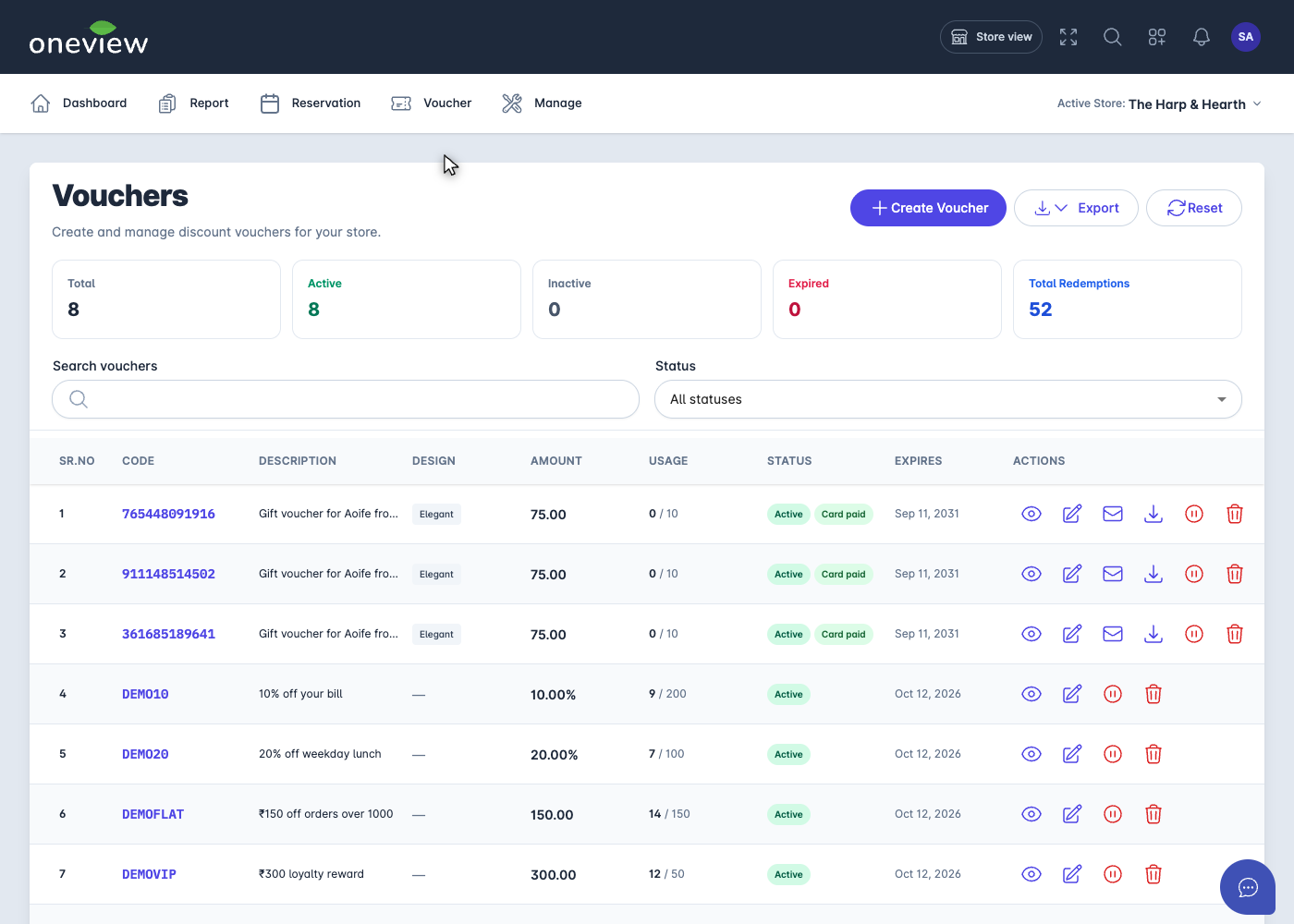
Every sale, the moment it happens.
- One list. Code, who bought it, amount, design, status, expiry, and how much is left on it.
- Act on any of them. Resend the email, download the PDF, pause one, or void it.
- Find and share. Search, filter by status, export what you are looking at to Excel.
- Redeem at the POS. Staff apply the voucher at the till by scanning the code or typing it in, and the remaining balance updates automatically. Online, in store, or both - you decide which.
- A monthly summary emailed to whoever should see it, on the day you pick.
Sold at the till, synced automatically.
Voucher management is built into the POS your team already uses, on the same login. There is nothing to connect and nothing to reconcile at close - the till and your online store read the same balances.
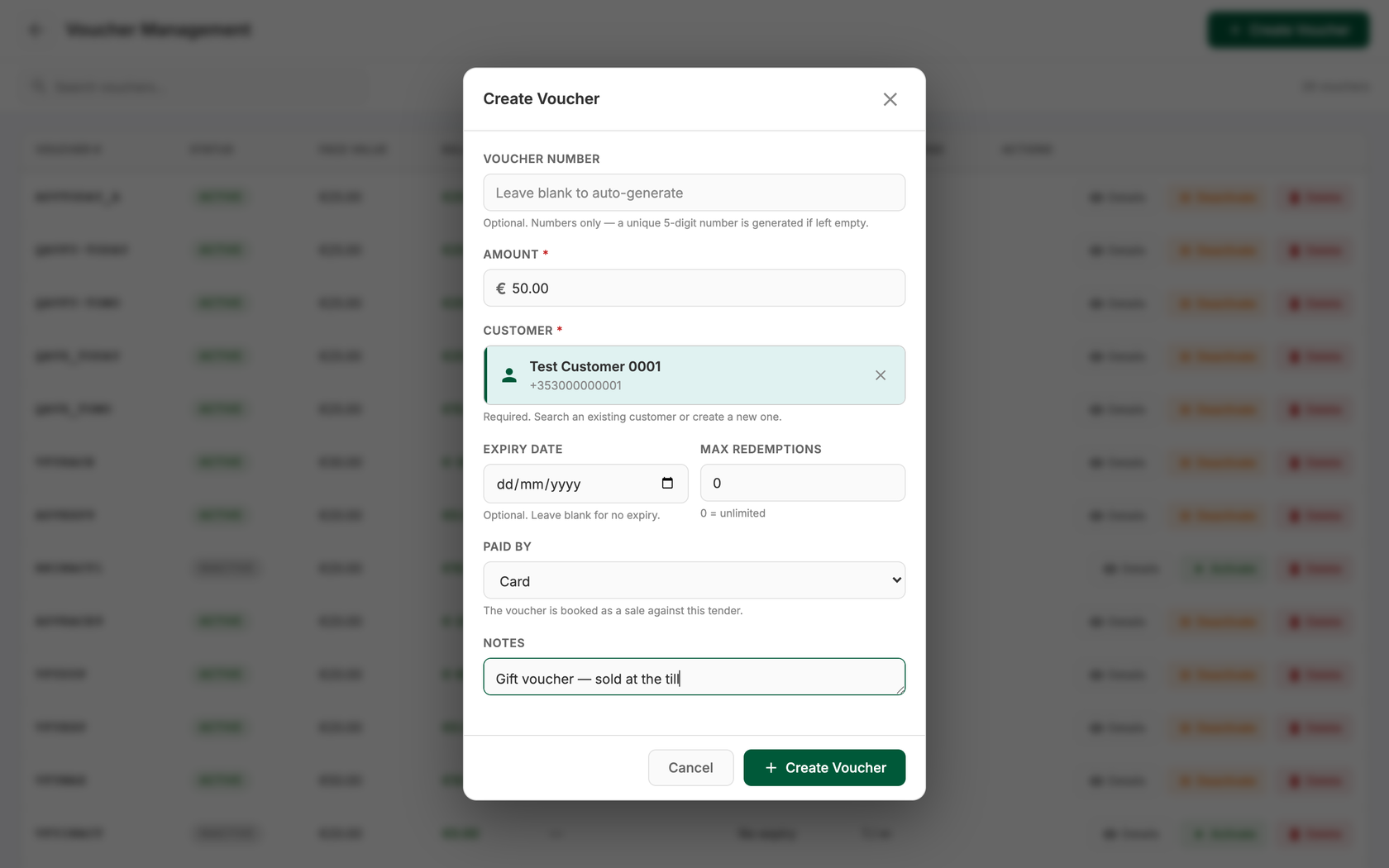
- Sell one at the counter in seconds. Pick the amount, attach a customer, and the code is generated for you. Type your own if the guest wants a particular one.
- Redeem it either way. A voucher bought on your online store can be spent at the till, and one sold at the till can be spent online. The balance moves on both sides.
- Pay all or part of a bill. If the bill is less than the voucher balance, the rest stays on the voucher for next time. If the bill is more, the guest pays the difference another way.
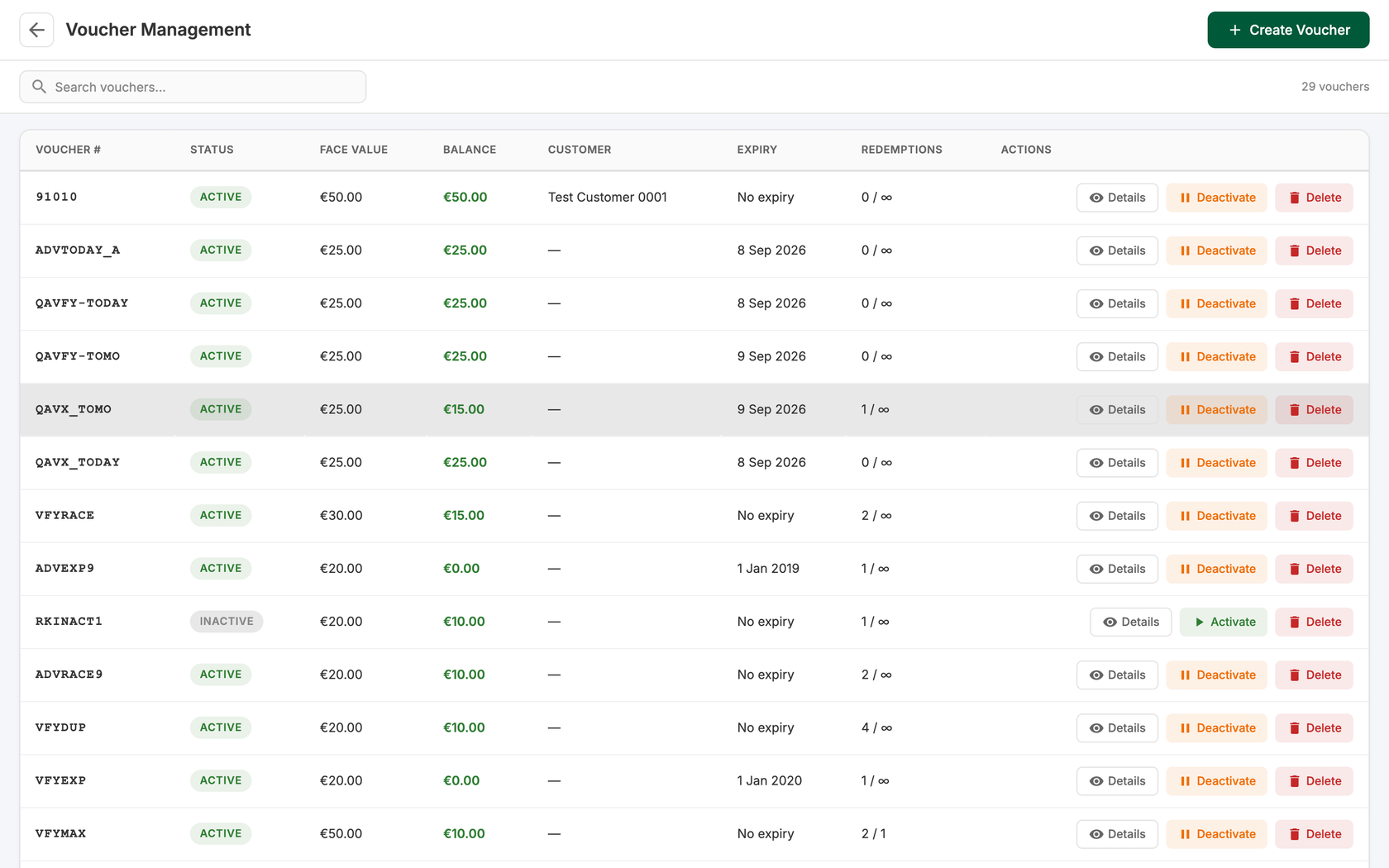
- One list for every voucher. Face value, balance left, customer, expiry and redemptions so far, searchable by code or name.
- Limits only where you want them. Set an expiry date, or cap how many times a voucher can be used. Leave either blank and there is no limit.
- Pause or void without a phone call. Deactivate a voucher from the list and reactivate it just as quickly.
- It counts as a sale. The voucher is booked against the tender it was paid with, so your takings for the day still add up.























Turn it on and start selling.
Switch vouchers on under Voucher → Settings. Nothing to install, and you are selling by lunchtime.
Book a Demo