The till fires it. The kitchen sees it.
Every order on the kitchen screens a second and a half after the cashier commits it. No printing, no shouting, and the board clears itself when you cash up.
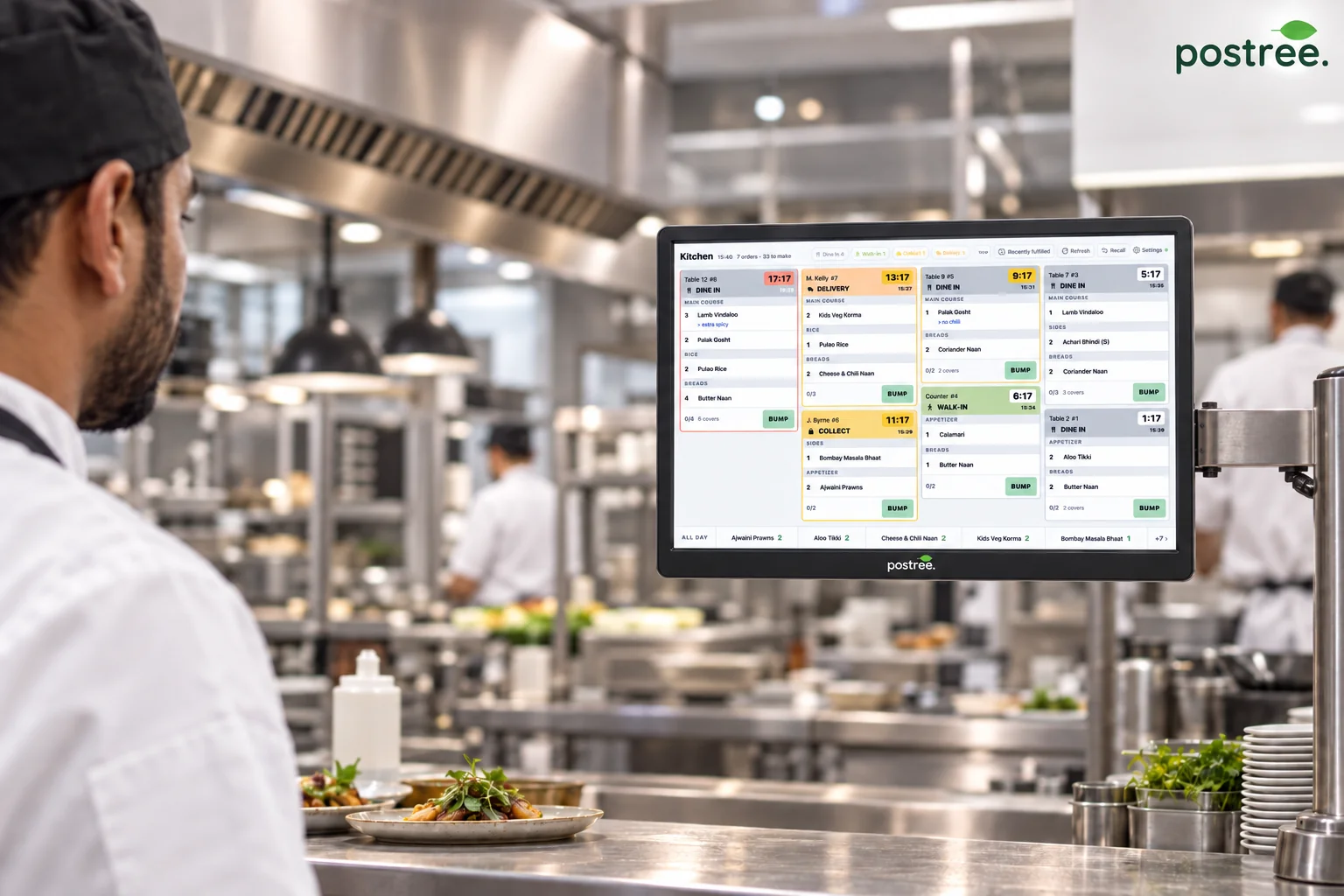
Watch the board run a service.
Orders firing, timers ageing, tickets bumping.
Orders arrive without anyone pressing anything.
The board reads your till's own database every second and a half. No plugin in the POS, no webhook to configure, nothing for the kitchen to press. The cashier saves the order as they always have.
- Oldest first, each with a running timer
- A short kitchen number both the cook and the pass can shout
- An all-day strip counting outstanding dishes, biggest batch first
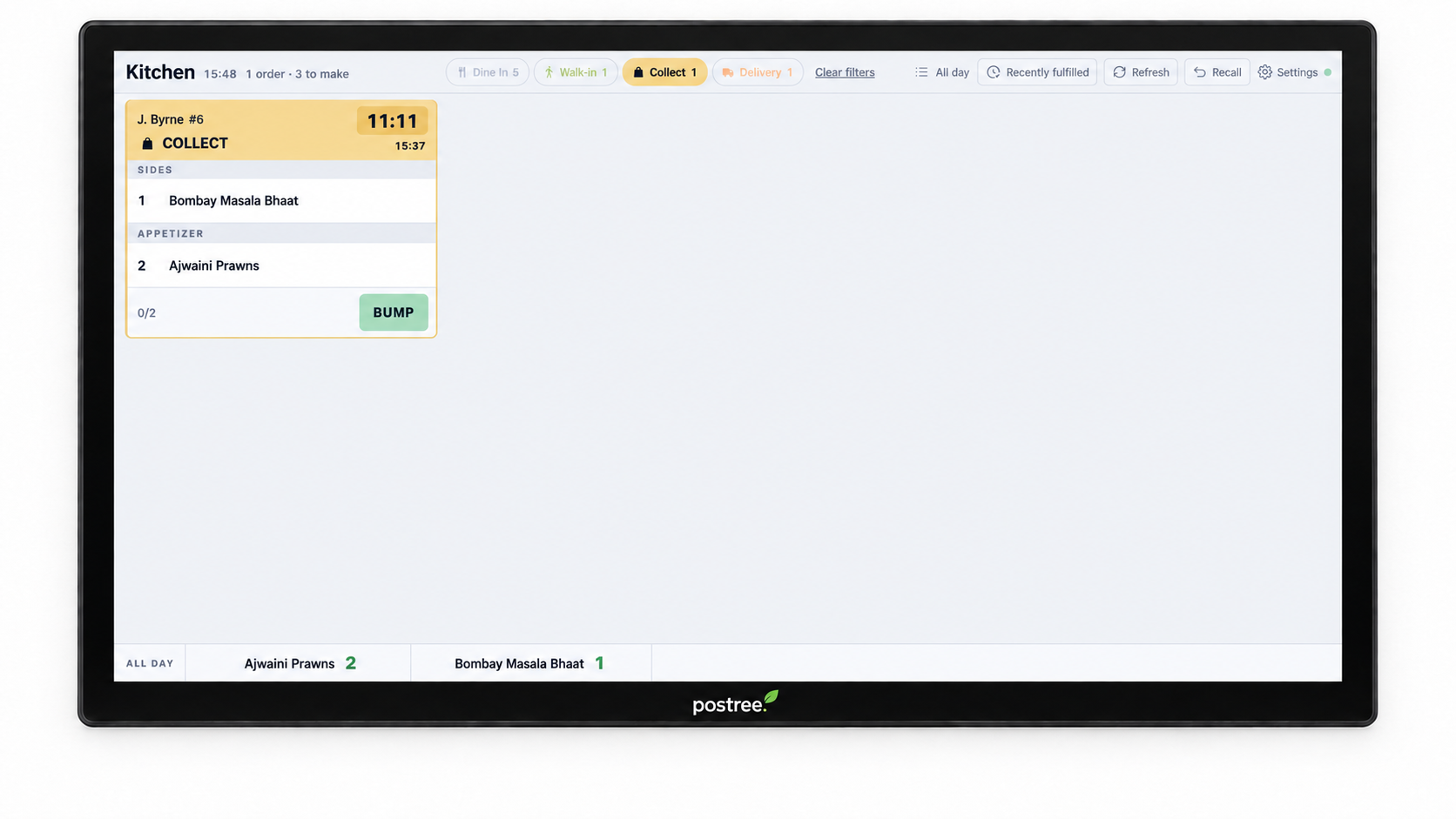
The whole board, readable at a glance.
Each order type carries its own colour and its own icon, so the board still reads correctly for a cook with a red-green deficiency. Age is shown separately, moving the timer and the card border from calm through amber to red.
- Type and age never hide each other, so a late delivery still reads as a delivery
- Amber at eight minutes by default, red from the station's own prep target
- Filter chips are multi-select and each carries a live count
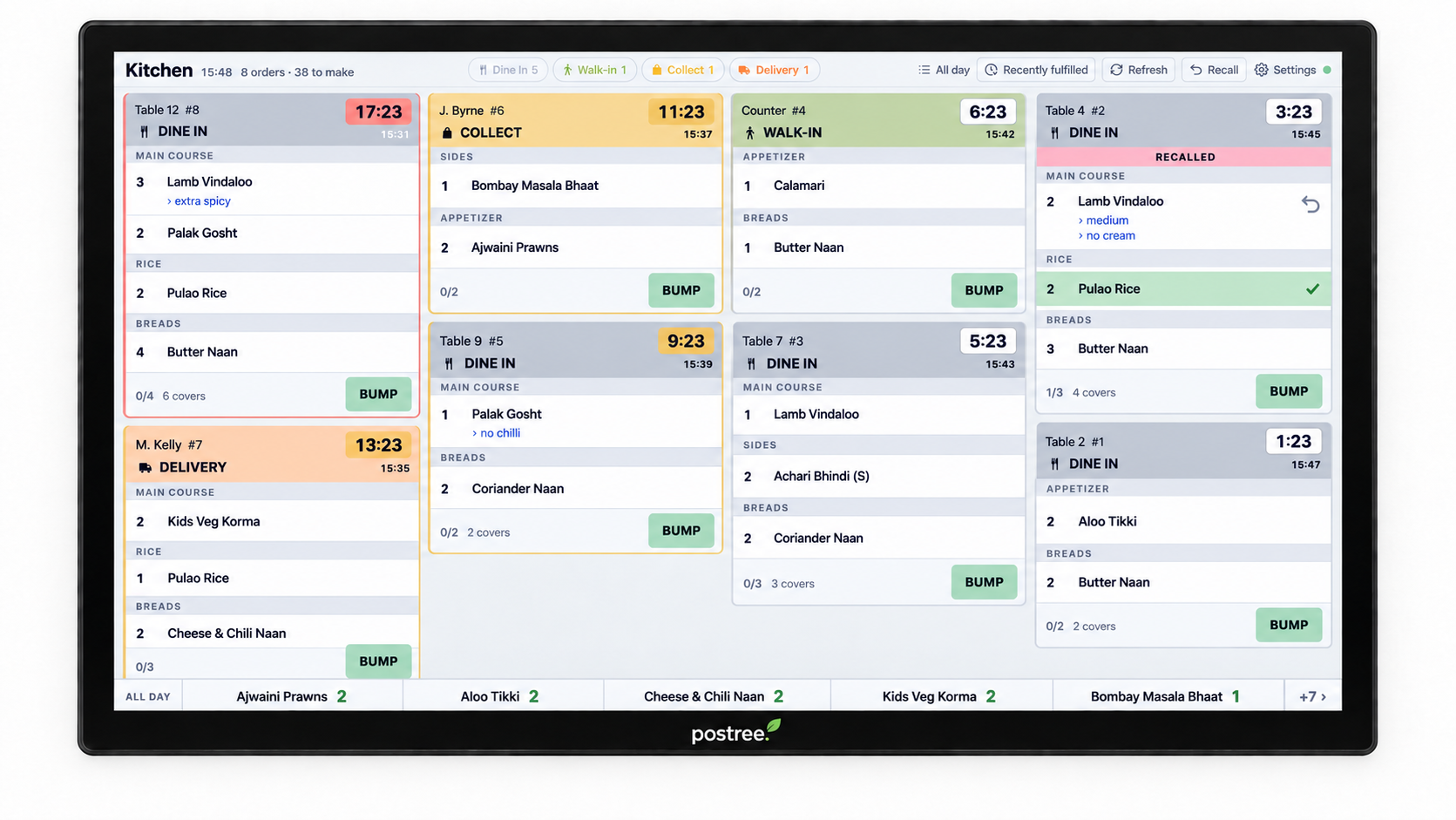
Tick off the way your cooks work, and bump without fear.
Single tap, double tap, or select-then-fulfil - set per screen. Bump a ticket with lines still outstanding and it names the dishes that are missing, rather than asking an abstract "are you sure?".
- A slide is not a tap, so scrolling a long order will not tick the wrong row
- Ticked rows grey out, with a done-against-live count and a fill bar
- Two screens bumping the same order at once converge instead of racing
- A card leaves the board only once the server confirms it, with a red NOT SAVED banner if a tap never landed
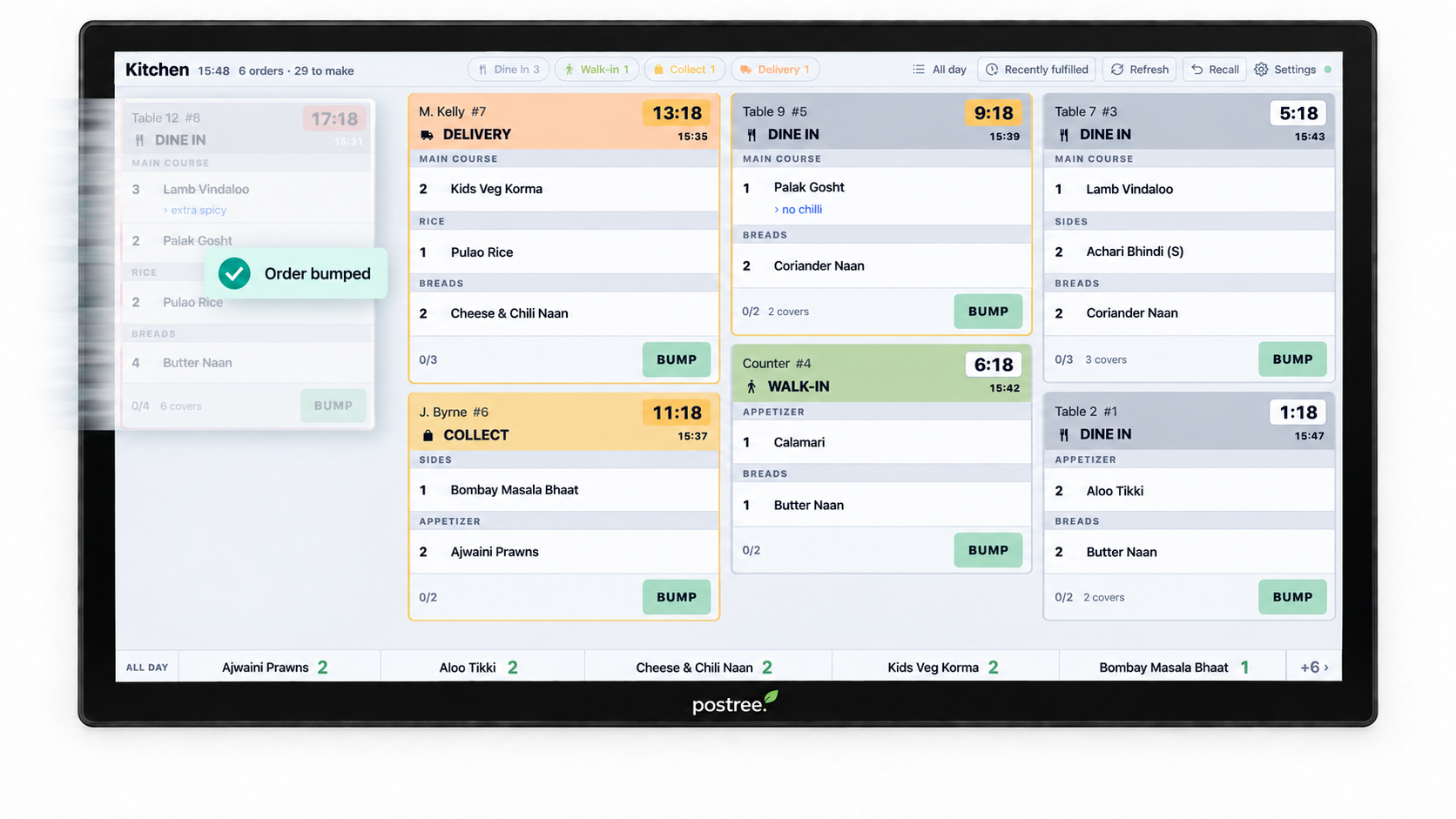
Mis-bumps and late changes are covered.
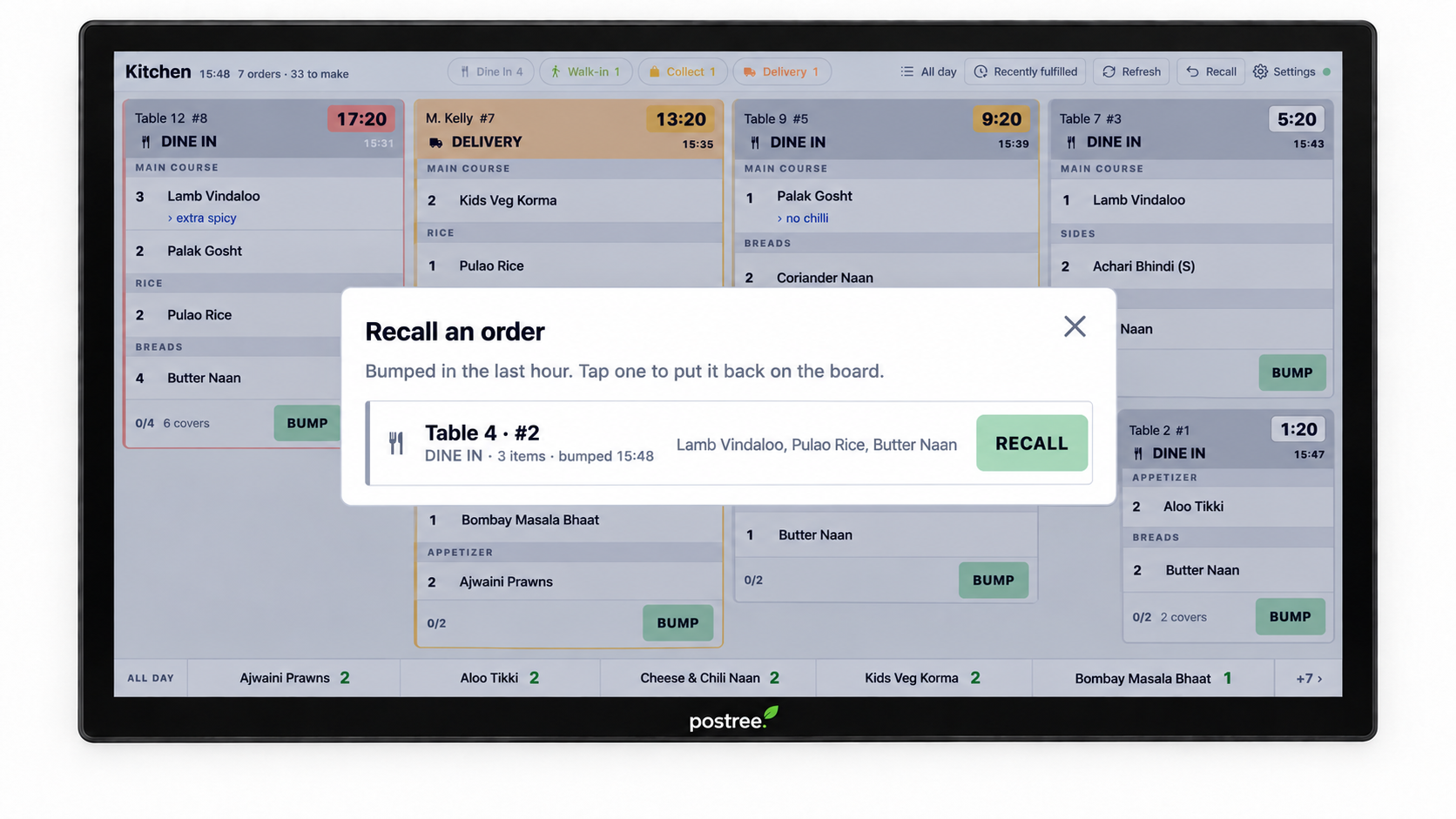
The recall panel lists everything that left this station in the last hour, and one tap puts it back marked RECALLED. When the till changes an order that already went, the board pulls the card back under a red warning and chimes like a new order - because the printer prints nothing for either.
- Voided lines are struck through and badged, not silently deleted
- Items a customer has already paid for are marked done, never binned
- A reduced quantity shows a "was 3" chip and leaves the cook's tick alone
- Un-ticking can be locked behind a double tap, and a voided line cannot be ticked at all
We supply the screens too.
Android, iOS or Windows - we provide the hardware, mount it, and have it pointed at the right station before your first service.
Android tablets
Our Android app runs full screen with no browser chrome, keeps the display awake, reconnects when the Wi-Fi drops and relaunches itself after a power cut.
iPads and iOS
The board runs in the browser with Guided Access switched on, locked to the station so nobody can navigate away from it mid-service.
Windows displays
A kiosk install that launches on boot, with monitor and sleep timeouts turned off so the screen stays live through the whole shift.
Frequently asked questions
Will this change anything in my POS?
Almost nothing. Your POS is never patched, restarted or reconfigured, and the KDS makes no changes to your database - it reads through a read-only account. The one thing it can ever write is marking a finished order ready, and that is switched off on every fresh install.
Do I need a new server, or new screens?
No server box. It installs on the till PC you already have. For screens there is nothing to install if you do not want to - any browser on the kitchen Wi-Fi shows the same board. We also provide Android and Windows apps that keep the display awake and survive a reboot.
What happens if the Wi-Fi drops?
Nothing on the board is cleared. A screen that loses the server says so in red across the full width and names how stale it is, rather than quietly showing an out-of-date board. When the connection returns, everything that changed arrives in one batch.
Does it replace my kitchen printer?
No, it does not print at all. It runs alongside whatever you print today, and covers the cases a printer structurally cannot: a dish merged into an existing line, a quantity raised after firing, an item voided after the paper left the printer.
Can I check the kitchen from home?
No. The server runs on the till and serves your shop network only - there is no hosted service or off-premise view. Optional email alerts are the only thing that leaves the building.
Put it on one screen and watch a service.
It installs on the till you already have and shows you your own Saturday - so you can decide in one service whether the board tells your kitchen what the paper never could.
Book a Demo